Prescriptions that look like yours
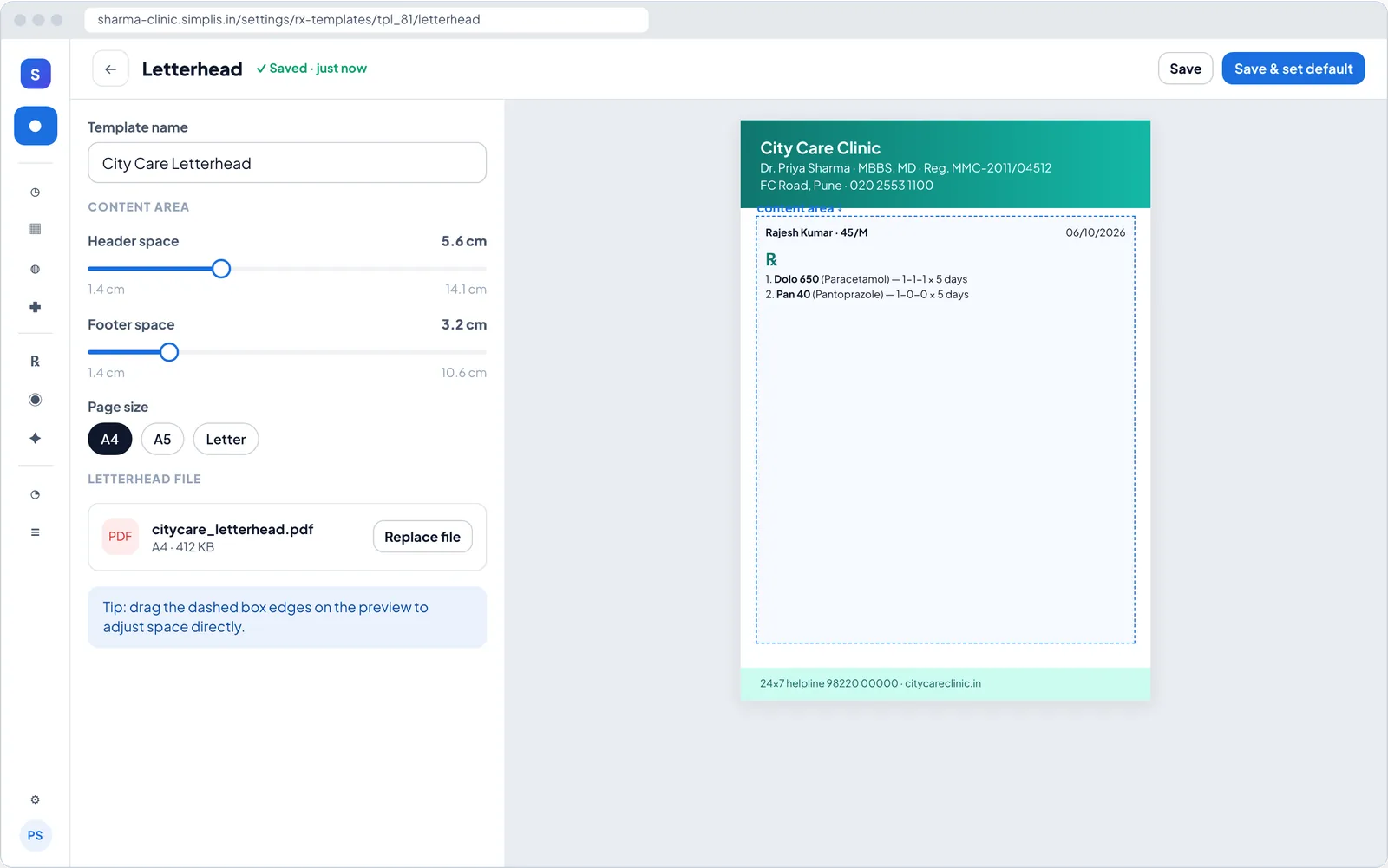
Keep the letterhead your patients recognise. Upload it as a PDF or image and set the header and footer space, or start from a template and change colours, fonts, sections and signature.
Your data is not for sale. Never sold or shared with pharma, marketers or data brokers. How we handle data
What you get
Prescription templates & letterhead in Simplis
Use your existing letterhead
Upload PDF, PNG or JPG; prescriptions print inside the space you set.
A4, A5 or Letter
Choose the page size that fits your printer and stationery.
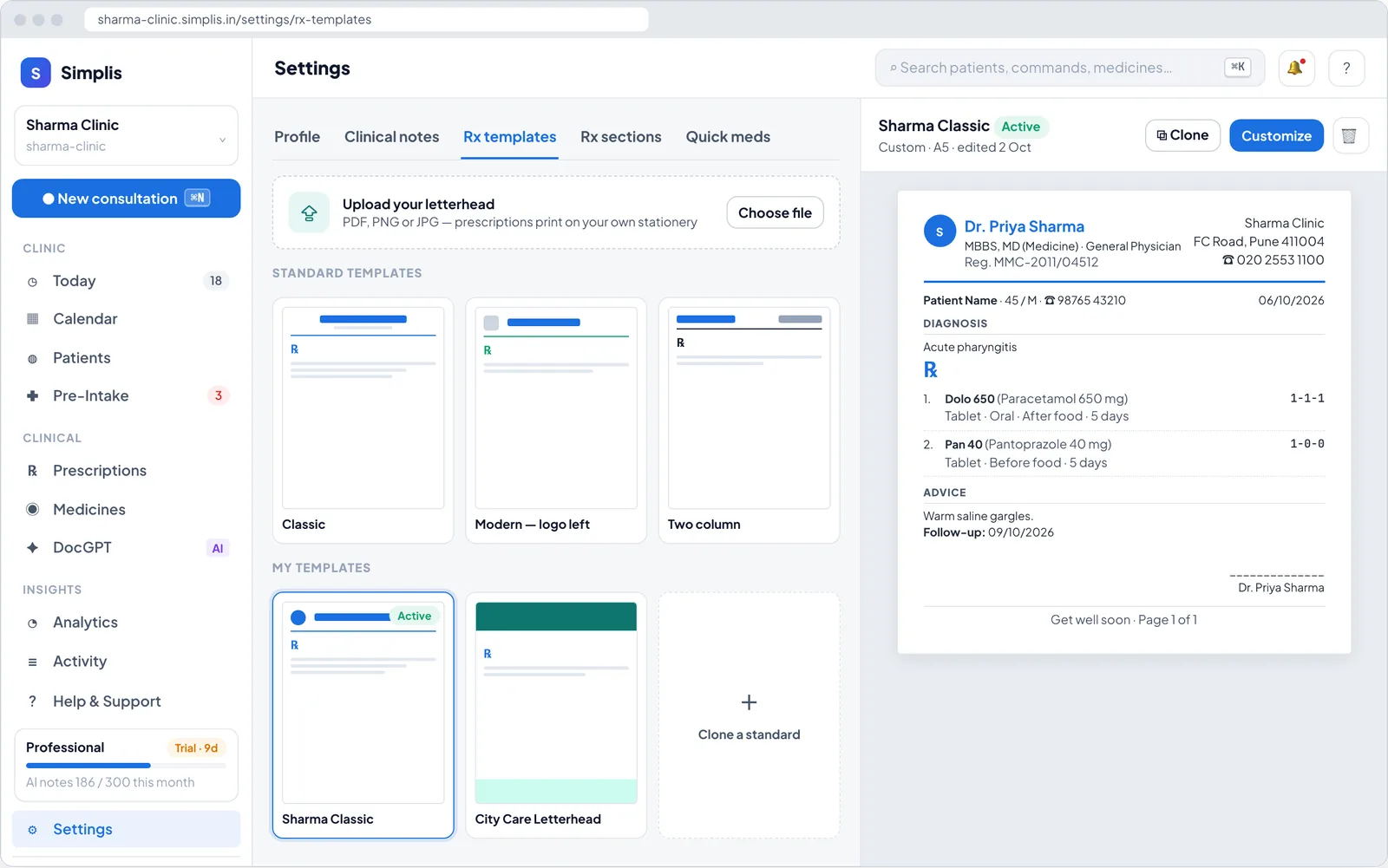
Customise every block
Header, patient details, sections, separators, fonts, footer and signature.
Quick meds and Rx sets
Save your common medicines and combinations to fill prescriptions faster.
Certificates too
Issue medical, fitness and other certificates from the consultation with your details filled in.
How it works
In your clinic, step by step
- 1
Pick a starting point
A template or your uploaded letterhead.
- 2
Adjust the layout
Preview changes live before saving.
- 3
Set as default
Every new prescription uses it.
FAQ
Prescription templates & letterhead: common questions
Can I keep more than one template?
Yes. Keep several layouts and set one as the default — for example, one for each clinic you practise at.
Will generic names appear on the prescription?
Medicines picked from the catalogue show the generic name alongside the brand on the printed prescription.
Related features
Consult-to-Rx
Turn the consult into a prescription draft, with Indian brand names, dose timing and allergy and interaction alerts.
Learn more →AI clinical notes
Talk to your patient as usual. Simplis drafts structured SOAP notes for you to review and approve.
Learn more →WhatsApp reminders
Booking confirmations, reminders, running-late alerts and prescriptions sent to patients on WhatsApp.
Learn more →
Try prescription templates & letterhead in your OPD
Set up in minutes with your specialty template. First month free — ₹0 today.